How it works

Two ways to a finished book. One studio.

Make one with the AI Book Creator — it writes and illustrates, you approve every page, we print. Or bring your own files, or a manuscript, to our book printing service: a quote with the print templates for your exact book, upload, a 3D proof, pay, print — every step online. This page walks both routes.

Two routes

Make it with AI, or bring us your book.

Both end at the same presses in Toronto. They start in different places.

Route one · Online · Waitlist

AI Book Creator

Start from one line — the lesson you want to teach, the character they’ll love, the story you looked for and couldn’t find. The AI writes and illustrates every page. You guide and approve. We print.

  1. Dream it up. One idea, typed in a sentence.
  2. Watch it become real. The AI writes and illustrates; you approve every page until it is the book you imagined.
  3. Print it — or launch it. Order copies, list it for sale on its own page, or let backers fund the print run.

Where it is now: on a waitlist. Join it and you get free credits — enough to make your first book the day it opens.

Join the waitlist
Route two · Book printing · Open now

Bring us your book

Files already designed, or a manuscript and a folder of pictures. Ask for a quote and the print templates for your exact book come with it; lay out on them, upload, see your book in 3D, approve it, pay — on your own schedule. A printer reads every file before it prints.

  1. Tell us about your book. You
  2. Get your quote — and your templates. Us
  3. Approve the quote online. You
  4. Lay out your files and upload them. You, or your designer
  5. We check every file — and tell you exactly what to fix. Us, then you
  6. See your book in 3D and approve each section. You
  7. Pay — then we print, bind and ship. You, then us

Where it is now: open. One recent order went from the contact form to the press floor in about 28 hours.

Walk the seven steps
Step 01 · You

Tell us about your book

The form asks for the six things a printer needs to price a book: the finished size, the page count, the binding, the cover stock and finish, the quantities you are weighing up, and the date you want the books in hand. That is the whole conversation.

You do not need to know the paper. Say "recommend something" and we will. You do not need files yet, either — the form is for the book, not the artwork.

What you have now: A reply from a real person, by email, usually the same day.

Start with the form
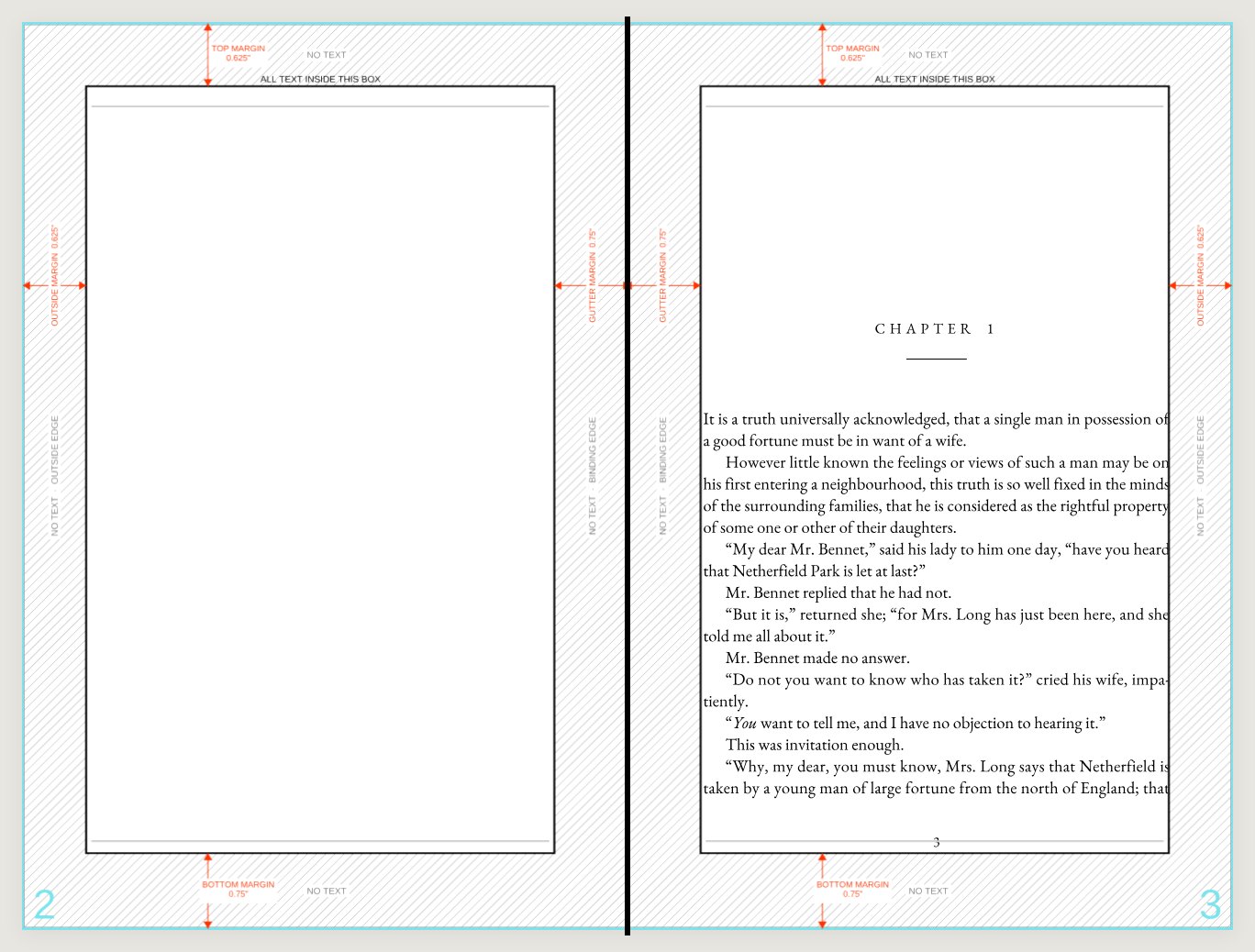
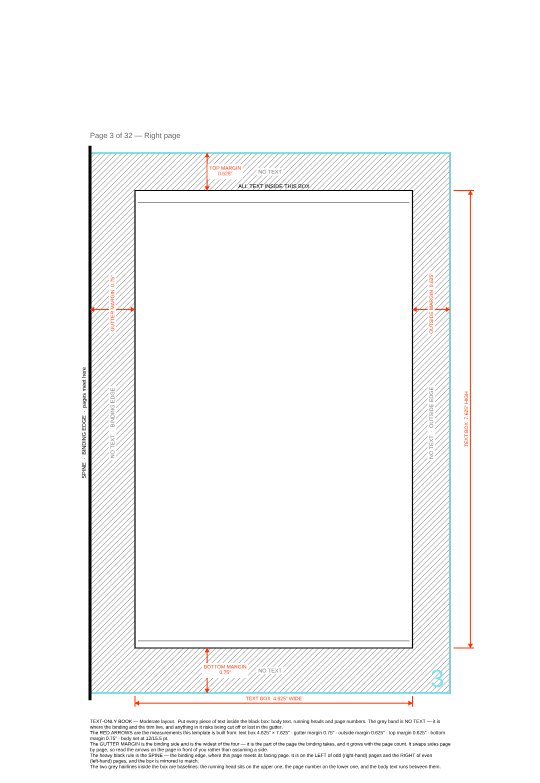
A single interior page of a book template with its trim, text box and margins drawn on.
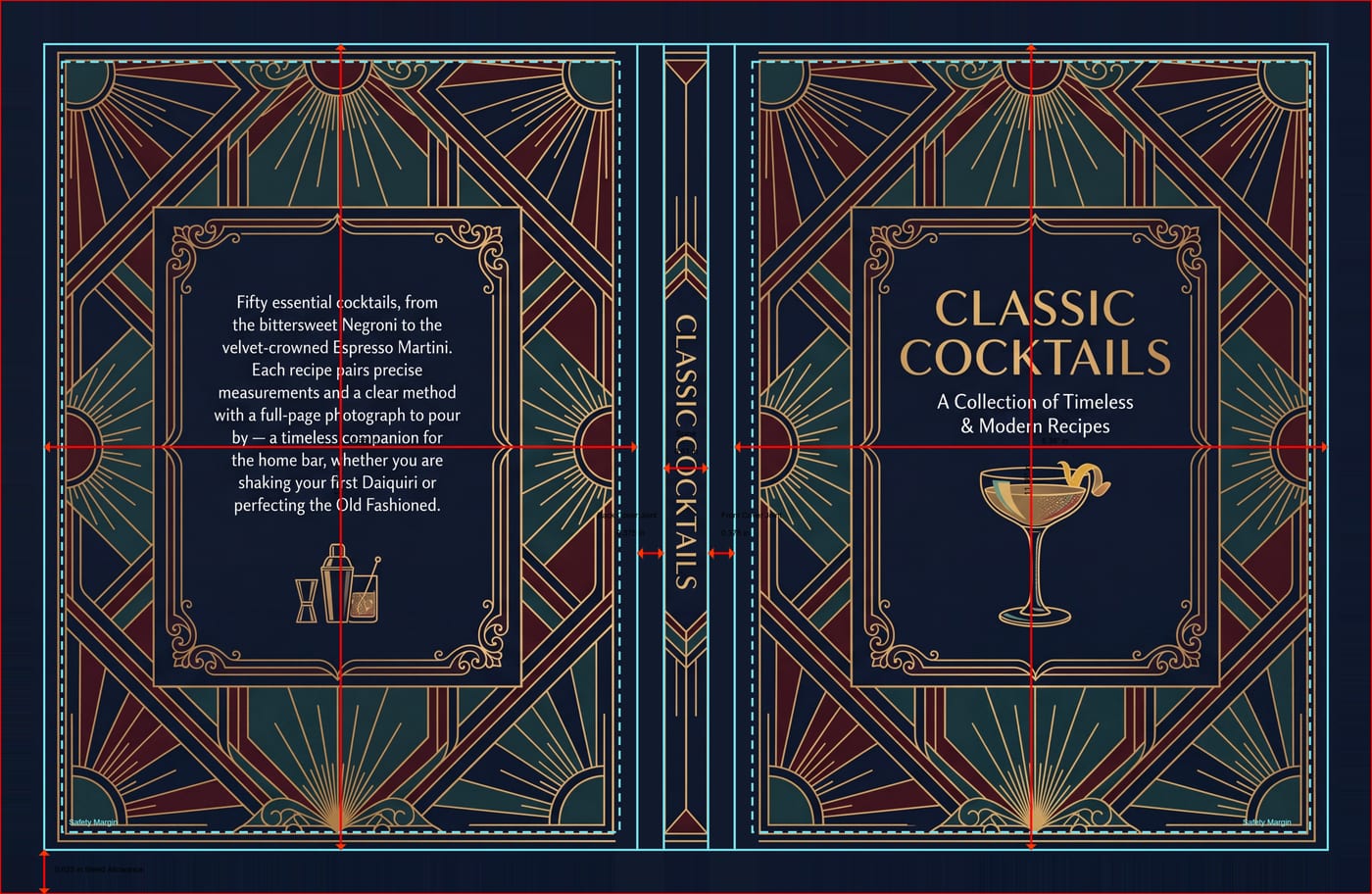
A cover template: back cover, spine and front cover across one sheet with the trim, bleed and safety guides drawn over it.
Step 02 · Us

Get your quote — and your templates

A quote from us is not just a price. It is built around your book, so the moment it exists so do your templates — the cover as one continuous sheet with the spine already calculated from your page count and paper, and an interior page at your trim with the text box and margins drawn on. They open in InDesign, Illustrator, Affinity, Canva or Word.

The trim, the bleed and the safety lines sit on a layer that switches off. Design on top of them, export with the layer intact, and the guides never print.

What you have now: A firm price, a completion date, and the two files your book will be built from.

Read the print file guides
Step 03 · You

Approve the quote online

Your quote page has a button. Pressing it records who approved what and when, creates the order, and turns the same page into your workspace for the rest of the job — the place your files go, the place your proof appears, the place you pay.

We are told the moment you do it, and we look the order over before anything else happens.

What you have now: An order number, and a page that follows the job from here to the finished books.

The opening spread of a book interior template, with the guides showing on both pages.
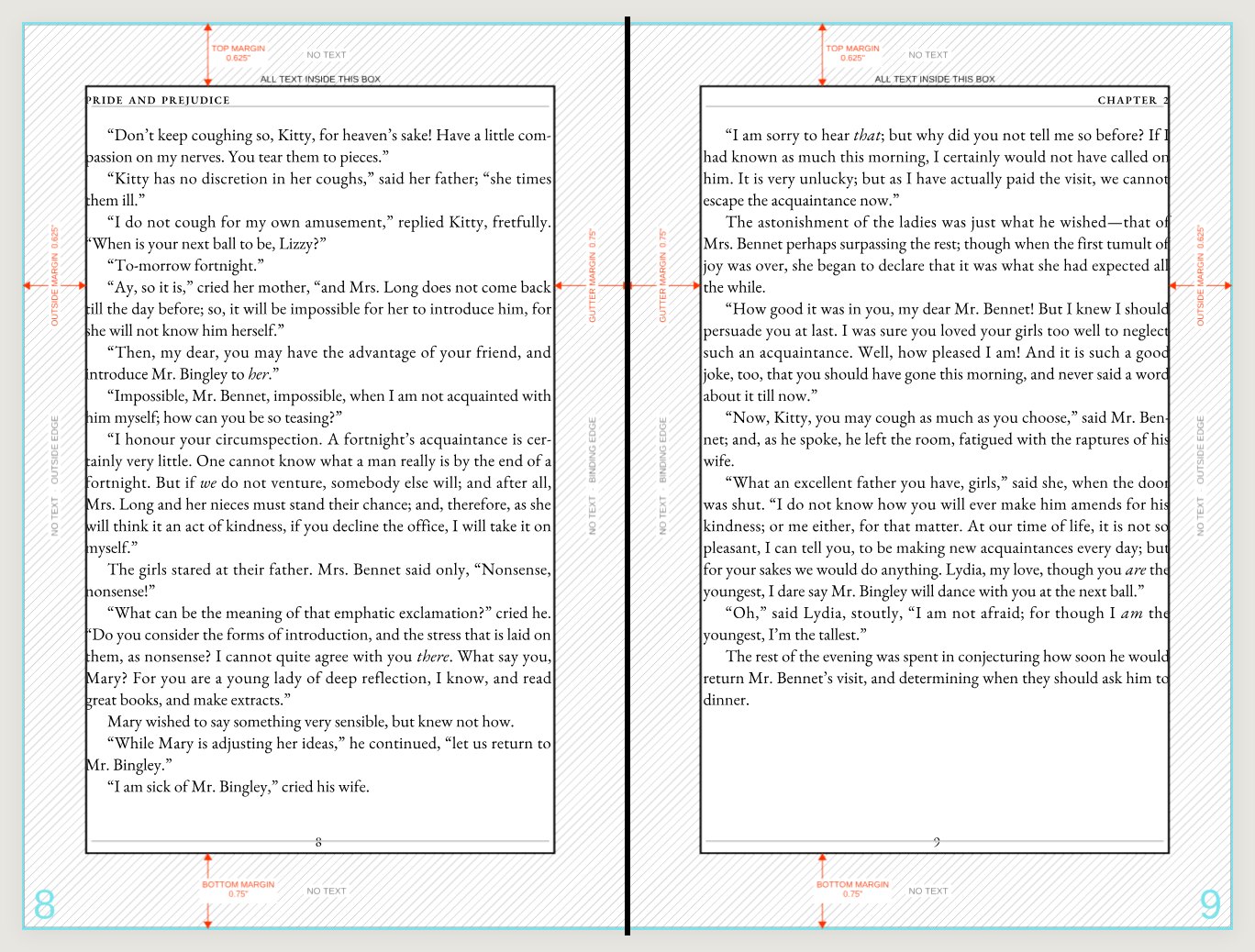
An interior spread on the template: the text box, four labelled margins and the binding line down the middle.
Step 04 · You, or your designer

Lay out your files and upload them

The templates are the brief. Whoever lays out the book, in whatever tool, works on a sheet that is already the right size with the right marks — so the file that comes back is the file we need. Our print file guides explain every rule the templates enforce, and why.

Upload each section where the page asks for it. When both are up, Submit for review locks them and tells us they are ready.

What you have now: Your artwork on our desk, on the right sheet, at the right size.

Read the print file guides
Step 05 · Us, then you

We check every file — and tell you exactly what to fix

This is the step that makes self-serve safe. On a recent order the interior arrived one page short, which quietly put every left-hand page on the right. We wrote back the same afternoon naming the page; the customer fixed it and re-uploaded within the hour. Nothing was lost but a coffee break.

A file that passes is placed on your proof. A file that does not is never printed — it is sent back with the reason.

What you have now: Files a printer has read and passed — or one clear thing to change.

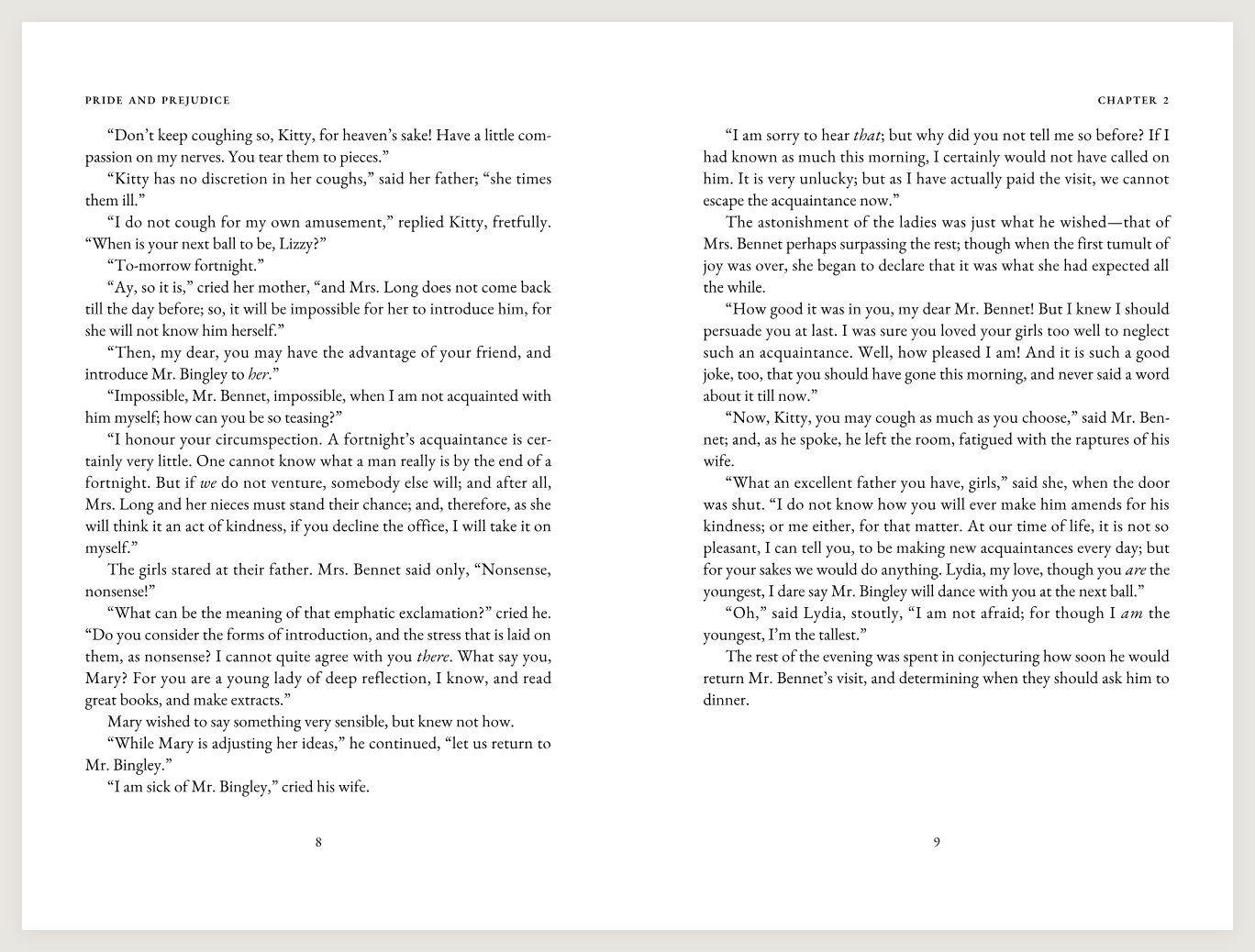
The same interior spread with the guides switched off: the artwork alone, as it will print.
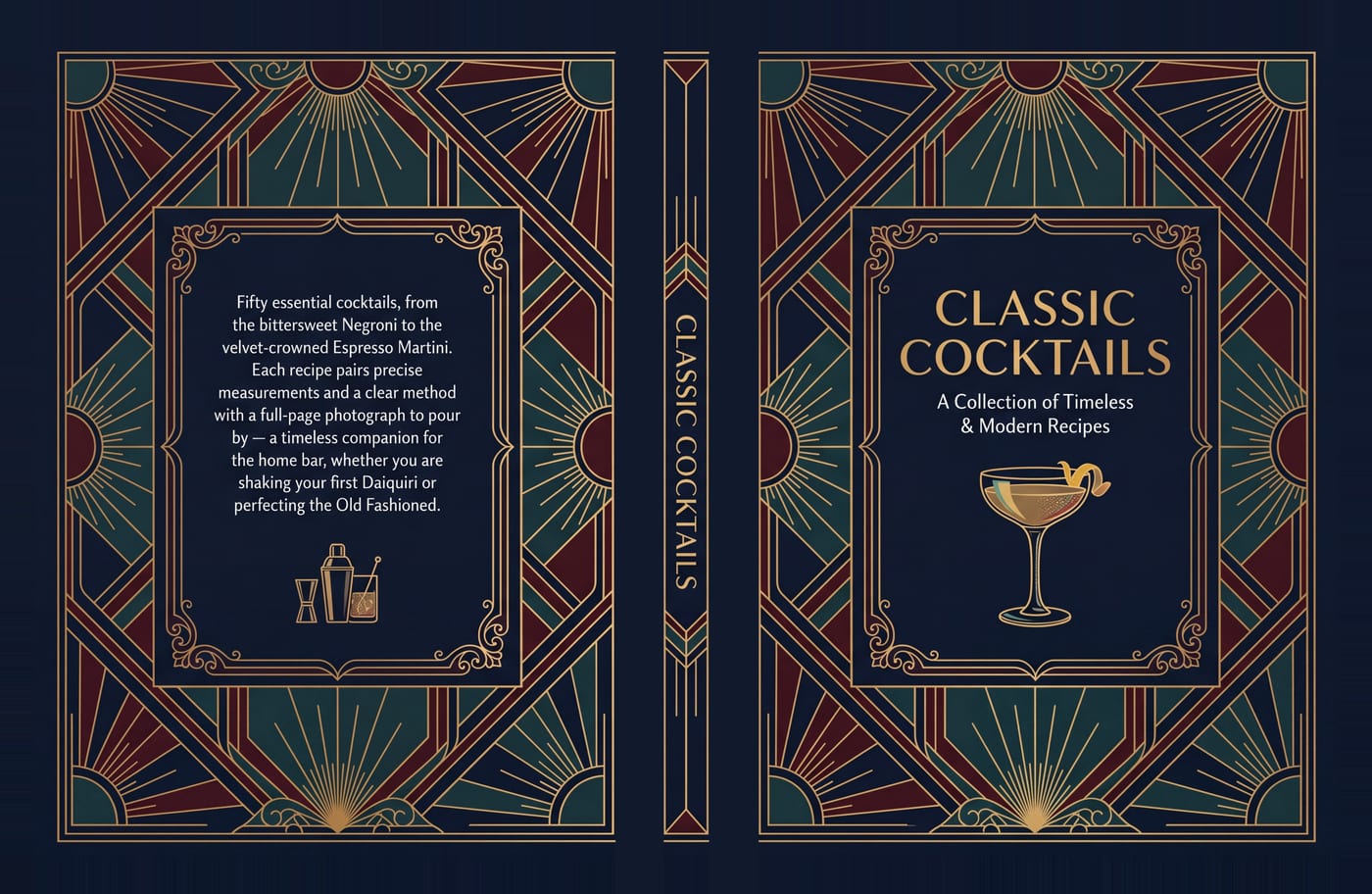
A hardcover casewrap with the guides switched off: one continuous piece of artwork across back, spine and front.
Step 06 · You

See your book in 3D and approve each section

A flat PDF cannot show you a spine. The proof puts your cover on the real board thickness, your interior on the real page count, and lets you turn it in your hands — with the trim and bleed guides switchable on and off so you can judge the artwork against the cut.

Each section is approved on its own, under your name and a verified email or phone, and the record is kept with the order. If a section is wrong, say so on the proof and it goes back to step five rather than to the press.

What you have now: A signed-off proof, section by section, with a record of who approved it and when.

Turn a real proof yourself
Step 07 · You, then us

Pay — then we print, bind and ship

The order page tells you plainly what it is waiting on. Until a deposit or full payment lands it says so; after that it says the job is in production, and it means it — the purchase order goes to the press floor the same day.

Books ship from our Toronto dock to you or straight to your readers, or you collect them by appointment.

What you have now: Finished books. From the form to the press floor, the fastest we have seen it done is about 28 hours.

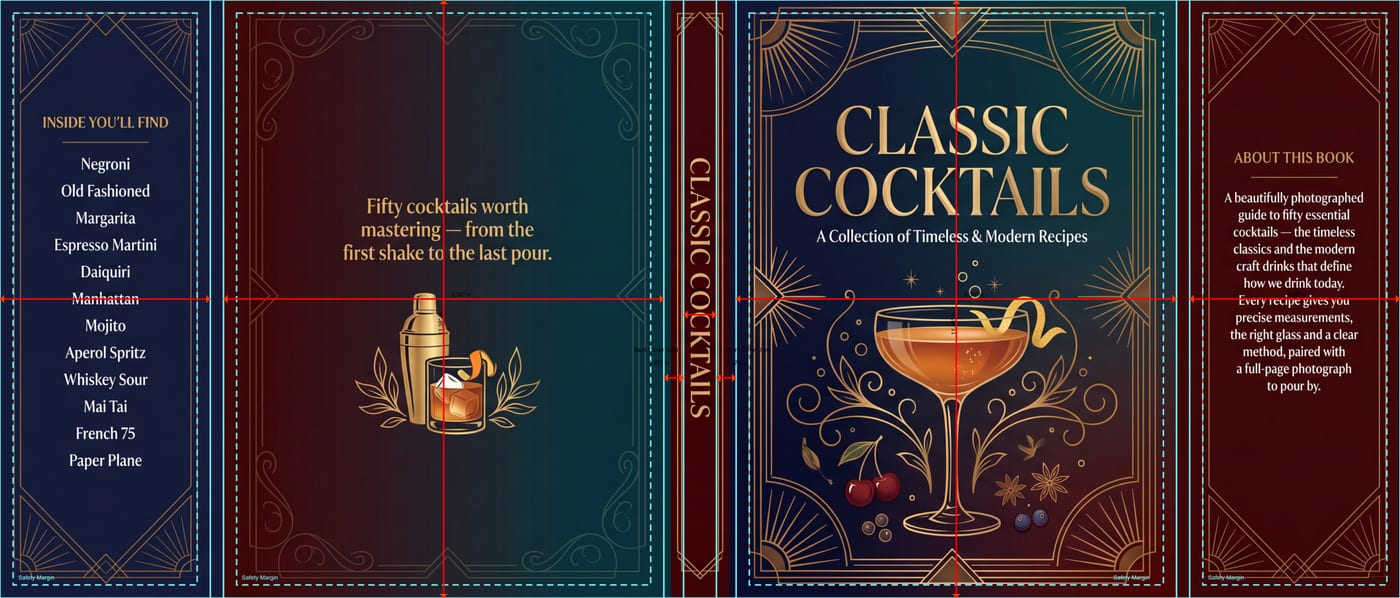
A dust jacket template: flaps, covers and spine across one sheet with the guides drawn on.
One real order

About 28 hours, start to press.

A recent softcover novel, exactly as it happened. No calls; one correction; every step taken by the customer from their own desk.

  1. Tue 5:42 pmContact form submitted — a 62-page softcover novel, 5.5 × 8.5, quantities of 50 to 100.
  2. Tue 6:00 pmPricing requested from the press.
  3. Tue 11:36 pmQuote emailed, with the cover and interior templates. Opened seven seconds later.
  4. Wed 1:50 pmFiles laid out on the templates and uploaded. Submitted for review.
  5. Wed 4:10 pmQuote approved online. Order opened.
  6. Wed 4:17 pmOur check: the interior was one page short. Emailed the page number.
  7. Wed 5:48 pmInterior fixed and re-uploaded.
  8. Wed 5:53 pmProof opened for approval.
  9. Wed 6:31 pmCover and interior approved in the 3D proof, identity verified.
  10. Wed 7:06 pmPaid online.
  11. Wed 10:00 pmPurchase order and approved files at the press.
Good to know

The three things that make this safe

The templates are the brief

Your quote comes with the cover and interior sheets for exactly your book, guides on a layer that switches off. Whoever designs it works on the right sheet from the first minute.

A printer reads every file

Page count, page order, bleed, spine, guides left on. If something is wrong you are told what and where, and nothing prints until it is right.

Approvals are verified and final

You approve each section of the 3D proof under your name and a verified email or phone. The record stays with the order, so nobody prints on a guess — including us.

A real proof

Now turn it yourself.

The book from the top of the page, in the viewer its owner approved it in. Drag to turn it, open the cover, lift the jacket, switch the print guides on and off. Open the full proof to read it through.

Or hand it to us

Rather not lay it out yourself?

The same route works with our designers doing steps four and five: send a manuscript and a folder of pictures, approve the proof, pay, done. Ask on the form below and we will quote both.

Route two · Step 01 · You

Tell us about your book

Trim size, page count, binding, cover finish, how many copies and when you need them. Rough is fine. A real person replies by email, usually the same day, with your quote and the print templates for your book. Just a question? Switch to the short form.